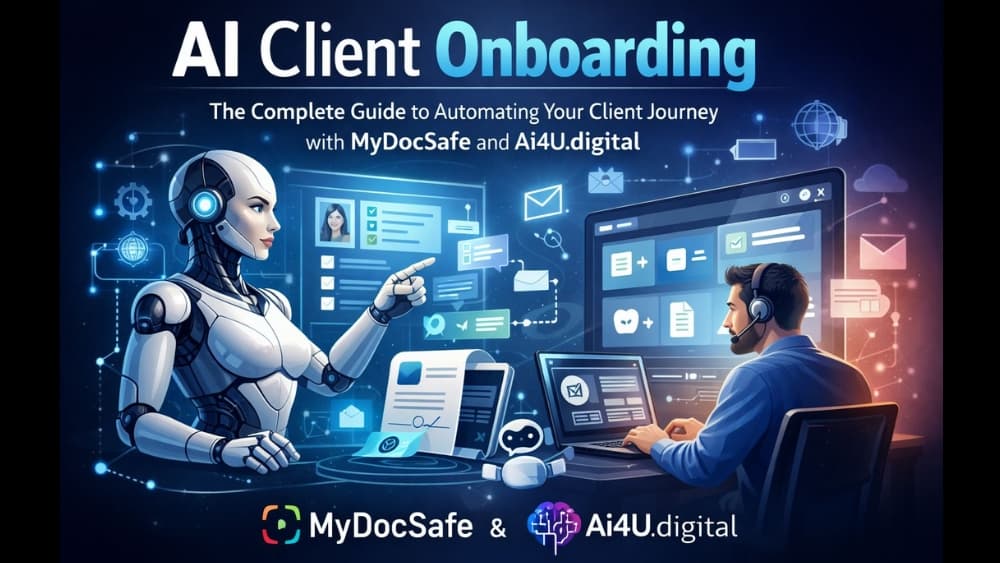
This guide covers everything you need to know about AI client onboarding: from foundational concepts and proven frameworks to practical implementation strategies. You’ll learn how to combine client portals like MyDocSafe with AI assistants like Korrah to create seamless, automated onboarding experiences that delight clients whilst freeing your team for higher-value work.
The average business spends 11 hours onboarding a single client manually. Multiply that by dozens or hundreds of new clients per year, and you’re looking at thousands of hours lost to repetitive tasks that artificial intelligence could handle in minutes.
What Is Client Onboarding?
A client onboarding process is the structured journey that transforms a new client from a signed contract into an active, engaged customer who understands how to work with your business and extract value from your services.
Think of it as a bridge between the sales handshake and the ongoing client relationship. A well-designed onboarding process accomplishes several critical objectives: it sets expectations, gathers necessary information, establishes communication patterns, and delivers early wins that build confidence in the partnership.
The stakes are high. Research consistently shows that clients who experience poor onboarding are significantly more likely to churn within the first 90 days. Conversely, effective onboarding correlates strongly with higher client lifetime value and increased referral rates.
Traditional onboarding relies heavily on manual touchpoints: phone calls to collect information, email chains to share documents, in-person meetings to explain processes, and spreadsheets to track progress. This approach works, but it doesn’t scale. Each new client demands the same time investment, creating a ceiling on growth.
Digital client onboarding shifts these interactions to online channels. Intake forms replace phone interviews. Client portals like MyDocSafe replace email attachments with secure document collection and e-signatures. Automated sequences replace manual follow-ups. The result is a more consistent experience that requires less staff time per client.
AI-powered onboarding adds intelligence to digital processes. When a client signs a contract, an automated system might immediately send a welcome email, generate access credentials, schedule a kickoff call, and create a project workspace—all within seconds. AI assistants like Korrah embedded in your client portal answer questions instantly, guide clients through forms, and surface relevant knowledge from your documents and policies—24/7, without human intervention.
The smart onboarding process incorporates conditional logic that adapts to each client’s situation. A client who indicates they’re a beginner might receive additional educational resources, whilst an experienced client might skip introductory materials entirely.
An onboarding workflow typically consists of four components:
triggers (events that start actions),
conditions (rules that determine which path to follow),
actions (tasks that execute automatically), and
delays (timed pauses between steps).
Together, these elements create a responsive system that guides clients through onboarding with minimal manual oversight.
Before diving into implementation, it’s essential to understand the strategic frameworks that underpin effective onboarding. These structures ensure you’re automating the right things in the right order.
The 5 C’s of Onboarding Framework
The 5 C’s provide a comprehensive lens for evaluating and designing your onboarding process:
Compliance addresses the administrative and legal requirements of bringing a client on board. This includes contracts, terms of service, data protection agreements, and any industry-specific regulatory requirements. Platforms like MyDocSafe excel here with secure document collection, e-signatures, and audit trails—all prime candidates for automation.
Clarification ensures the client understands what they’ve purchased, what to expect, and how success will be measured. Automated onboarding excels here through personalised welcome sequences, video libraries, and self-service knowledge bases. An AI assistant like Korrah can answer clarification questions instantly—”What happens next?” “When will I receive my login?” “What documents do I need to provide?”
Culture introduces clients to how your organisation operates. What are your communication norms? When can they expect responses? How do you handle problems? AI chatbots and automated response systems can reinforce cultural expectations consistently across every client interaction.
Connection builds relationships between the client and their key contacts within your organisation. Whilst AI can facilitate introductions and schedule meetings, this C often benefits from human touchpoints. The goal is to make clients feel they have real people invested in their success.
Check-back establishes mechanisms for gathering feedback and measuring satisfaction throughout the onboarding journey. Automated surveys, sentiment analysis, and milestone check-ins help identify at-risk clients before problems escalate. Korrah’s query monitoring shows you exactly what clients are asking, revealing confusion points and opportunities to improve.
Applying the 5 C’s to AI implementation means auditing each category and asking: where does automation add value, and where does human interaction remain essential?
A more granular view of onboarding breaks the process into seven sequential steps:
Step 1: Initial Contact and Qualification. The journey begins before the contract is signed. Qualifying questions, discovery calls, and proposal presentations set the stage for onboarding. AI can assist through intelligent lead scoring and automated scheduling.
Step 2: Welcome and Expectation Setting. Once the client commits, immediate acknowledgement matters. Automated welcome emails, personalised video messages, and clear timelines establish momentum. This step shapes the client’s perception of your professionalism. Automation potential: Very high.
Step 3: Information Gathering. The intake phase collects everything you need to serve the client: contact details, business information, access credentials, preferences, and project specifics. MyDocSafe streamlines this with secure forms and document upload portals, whilst Korrah can guide clients through what’s needed. Automation potential: Very high.
Step 4: Account and System Setup. Technical provisioning includes creating accounts, granting access, configuring settings, and integrating systems. Automation can reduce setup time from days to minutes. Automation potential: Very high.
Step 5: Training and Orientation. Clients need to understand how to use your services or products effectively. Self-paced learning modules, interactive tutorials, and AI-powered support can deliver training at scale. When clients ask Korrah “How do I sign my documents?” or “Where can I upload my files?”, they get instant answers without waiting for your team. Automation potential: High.
Step 6: First Value Delivery. The sooner a client experiences tangible results, the stronger the relationship becomes. Automated workflows can accelerate time-to-value by prioritising quick wins and removing bottlenecks. Automation potential: Medium—benefits from human involvement.
Step 7: Ongoing Check-ins and Feedback. Onboarding doesn’t end with setup. Regular touchpoints ensure clients remain engaged and satisfied. Automated scheduling, satisfaction surveys, and health scoring maintain the relationship proactively. Automation potential: High for triggers, medium for conversations.
Key insight: Steps 2 through 5 offer the greatest automation potential. Steps 1 and 6 often benefit from human involvement, whilst step 7 works best as a hybrid of automated triggers and personal outreach.
Another useful model divides onboarding into five stages:
Pre-onboarding covers the period between contract signature and formal kickoff. Automated document collection via MyDocSafe, welcome sequences, and preparation checklists keep momentum high during this critical window.
Orientation introduces the client to your team, tools, and processes. Virtual tours, team introduction videos, and interactive guides can be delivered automatically whilst creating a personalised feel. Korrah can answer navigation questions about your portal instantly.
Training builds the client’s capability to work with your services effectively. Learning management systems, AI tutors, and progress tracking enable self-directed education that scales infinitely.
Transition marks the shift from onboarding mode to business-as-usual operations. Automated handoffs, graduated support levels, and success milestone celebrations smooth this passage.
Ongoing support extends beyond traditional onboarding boundaries but determines long-term retention. AI-powered help desks like Korrah, proactive health monitoring, and expansion opportunity identification keep clients engaged long after initial onboarding completes.
Artificial intelligence appears throughout modern onboarding processes, often working invisibly behind familiar interfaces:
Intelligent document processing uses machine learning to extract information from uploaded files. A client submits their business registration documents, and AI can automatically populate relevant fields in the CRM —company name, registration number, address, directors—without manual data entry.
Automated data extraction extends this capability to unstructured content. AI can read emails, parse attachments, and capture information from varied formats, feeding structured data into your onboarding workflows regardless of how clients choose to communicate.
Smart form filling pre-populates fields based on available information, reducing friction for clients. If you know a client’s company from their email domain, AI can auto-fill related fields before they begin typing. Progressive forms that adapt based on previous answers further streamline data collection.
Personalised communication sequences use AI to determine which messages each client receives and when. Instead of generic drip campaigns, intelligent systems analyse client behaviour and characteristics to deliver relevant content at optimal moments.
Predictive analytics for client success examines onboarding behaviour to forecast outcomes. Clients who complete certain steps quickly or engage with specific content may indicate higher success probability. Those showing warning signs can receive proactive intervention before problems develop.
One of the most powerful applications of AI in client onboarding is embedding intelligent assistants directly within client portals. Rather than forcing clients to email support or search through documentation, an AI assistant provides instant, personalised guidance exactly where clients complete their work.
What AI portal assistants like Korrah can do:
Answer FAQs instantly, 24/7—no waiting for business hours
Guide clients through forms and workflows step-by-step
Surface relevant knowledge from your documents, policies, and resources
Explain portal features and navigation
Reduce repetitive support queries by 40-60%
Accelerate onboarding cycles by providing immediate help
Korrah (from AI4U) integrates seamlessly with MyDocSafe, creating a powerful combination of secure document management and intelligent support. When a client asks “How do I sign my documents?” or “What information do I need for onboarding?” or “Where can I upload my files?”, the AI assistant provides clear, contextual answers trained on your specific content.
This approach delivers measurable benefits: clients get faster answers, your team handles fewer repetitive queries, and onboarding completion rates improve because clients aren’t stuck waiting for support responses.
A practical framework for balancing AI and human involvement in onboarding follows the 10-20-70 rule:
10% fully autonomous. Some tasks require no human oversight once configured. Sending confirmation emails, creating calendar events, provisioning standard accounts, distributing templated documents, and answering routine FAQs via Korrah can run entirely on autopilot.
20% AI-assisted. Many tasks benefit from AI preparation whilst requiring human review or approval. Drafting personalised welcome messages, suggesting resource recommendations, and flagging potential issues for attention represent this middle ground. Korrah’s query monitoring helps identify when human intervention is needed.
70% human-led with AI support. The majority of high-value onboarding activities remain human-driven but enhanced by AI. Strategy discussions, relationship building, complex problem-solving, and judgement calls benefit from AI-provided context and recommendations without replacing human decision-making.
This ratio isn’t fixed. As AI capabilities improve and your systems mature, tasks gradually shift from human-led to AI-assisted to fully autonomous. The key is starting with clear boundaries and expanding automation deliberately based on results.
Read more in the complete guide from MyDocSafe :
Part-4 the implementation guide, with step-by-step automation roadmap.
Top AI Onboarding Tools
AI Assistant Platforms
Workflow Automation Tools (spanning different software systems)
Intelligent Form Builders
Setting up Korrah in MyDocSafe
Optimisation and Results
AI Client Onboarding Checklist
Latest news, events, and updates on all things App related, plus useful advice on App advisory - so you know you are ahead of the game.
Connect with us